


Get A Single View Of All Your Finances
Track balances and transactions across all your accounts in one place.

Enjoy Smart & Safe Banking Management
Powered by an RBI-licensed Account Aggregator to keep your data safe and secure.

Benefit From Automated Tracking
Let OneTrack fetch and update your transactions for you.

Always Stay In Control
Link or delink your accounts anytime and from anywhere with ease.

Enjoy Smart Categorisation Of Spends
Get better spending insights through well-categorised transactions.
Things to know
Why you need OneTrack
All your money, one view:
- Track balances and spends across all your bank accounts in one place, with complete clarity and minimal effort.
Bank smart, bank safe:
- Powered by an RBI-licensed account aggregator, your data stays secure and private.
You’re in control:
- Link or delink your bank accounts anytime and effortlessly manage your finances.
How to use OneTrack
- Download the AU 0101 App from Play Store or App Store.
- Open the AU 0101 App and follow the steps to complete your registration.
- Once you're in, look for the OneTrack icon on the home screen.
- Tap the icon to begin your OneTrack sign-up.
- nter the OTP, select the bank accounts you want to link, and authenticate.
- OneTrack is now ready for use.

.png)



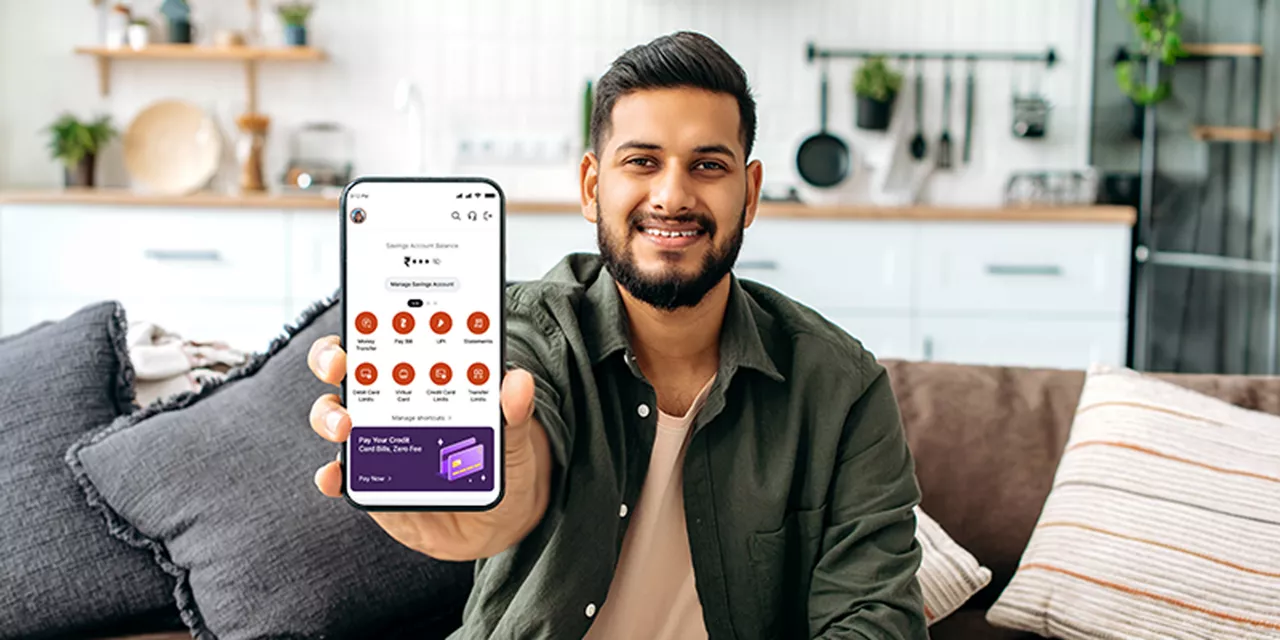
Bank anywhere anytime, on the AU 0101 mobile app
-
![View balance and transactions]() View balance and transactions
View balance and transactions
-
![Download account statement]() Download account statement
Download account statement
-
![Request cheque book]() Request cheque book
Request cheque book


 40+ lakh customers banking on app
Not sure which product is right for you?
-
![]() Personal assistance
Personal assistance
-
![]() No spam
No spam


Customer support
24x7 help

Frequently Asked Questions (FAQs)
How does OneTrack connect to my bank accounts and access my bank data? Can it also do transactions on my behalf?
No, OneTrack cannot perform transactions on your behalf. OneTrack is only for the purpose of viewing your finances. It uses an RBI-licensed Account Aggregator (AA) to connect and access your bank data, which is based entirely on your consent. AAs are used to securely share financial data from one institution to another.
How does OneTrack connect to my bank accounts and access my bank data? Can it also do transactions on my behalf?
No, OneTrack cannot perform transactions on your behalf. OneTrack is only for the purpose of viewing your finances. It uses an RBI-licensed Account Aggregator (AA) to connect and access your bank data, which is based entirely on your consent. AAs are used to securely share financial data from one institution to another.
How do I add funds to my AU account?
To transfer funds to your AU Account, go to AU UPI and choose Self Transfer. Link your other bank accounts and send money instantly. Transfer Now. (hyperlink: https://app.aubank.in/oBF3/9u5pzg95)
I am unable to connect my bank account. Are all banks supported yet?
We support individual savings and current accounts from all major banks. You can find the list of supported banks by clicking on “Link more accounts” on the OneTrack dashboard. If your bank is not currently in the list, then that can be because: 1) it is not connected to the Account Aggregator, or 2) it has performance issues.
Why are my balances and transactions not up to date sometimes?
OneTrack fetches your balances and transactions only a few times a day. While it is doing that, there is a possibility that some of the linked banks may not have responded in time. There is also a chance that the balance is updated instantly, but the transactions may take some time due to the size of the transactions and the systems of the linked bank. They eventually get in sync within a day or two.
How to unlink a bank account from OneTrack?
You can unlink your bank account by visiting the account aggregator website (https://app.anumati.co.in/). Log in using your mobile number, then go to the Consent tab > Active, and select the consent that contains your relevant account. You have the option to pause data sharing, revoke access, or unlink the account completely.
Will my financial data ever be shared with anyone?
Your complete financial data is aggregated and stored securely with AU Small Finance Bank and will never be shared with any other entity.


