
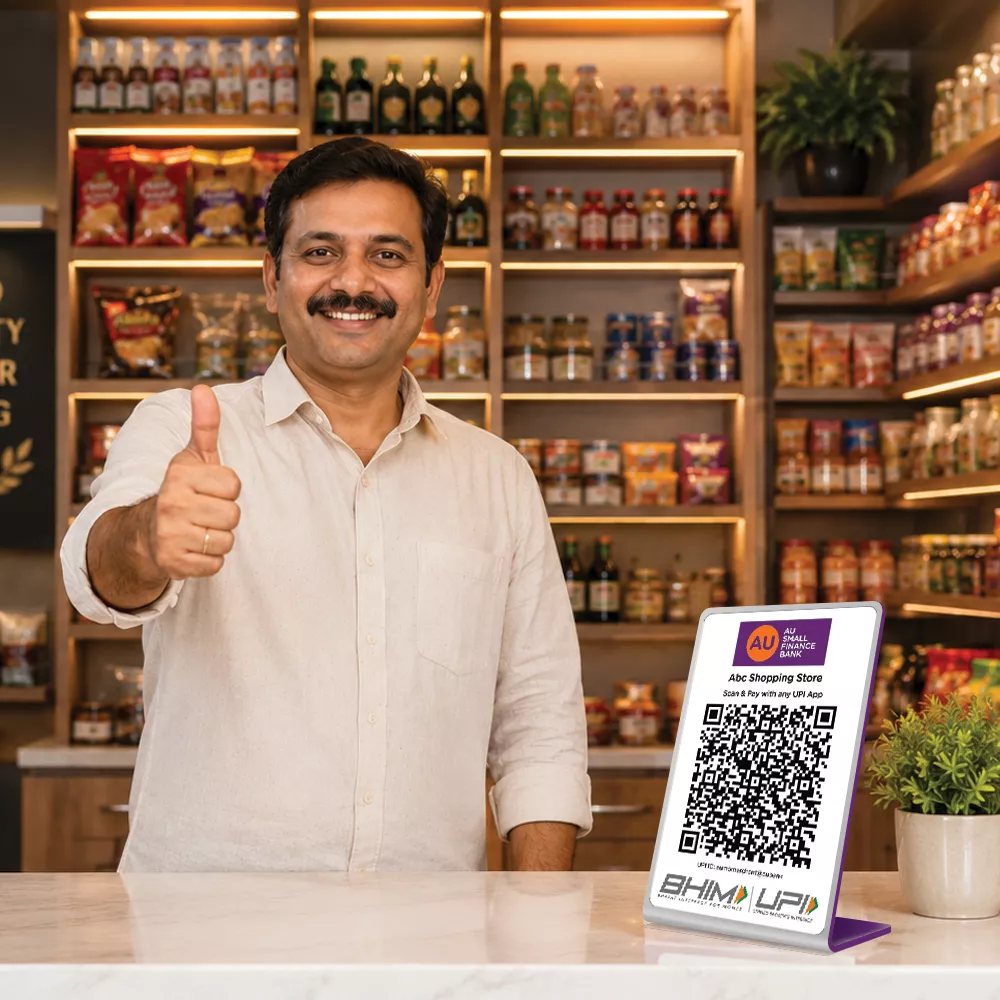


Flexible Settlement Cycles
Option to Select "Instant" or "Once/Twice‑a‑Day" settlement for AU UPI QR payments

Manage Staff Securely
Add staff to track transactions and settlements with role‑based access

Real‑Time Business Insights
Apply for new Soundbox, track payments & view settlements with AU 0101 Business App


Accept Payments Across All Modes
UPI QR Apps, UPI Lite & RuPay Credit Cards

Listen & See Every Payment
Instant voice confirmations with AU Soundbox

Zero Setup Cost
Get started with AU QR at no upfront or installation cost





Things to know
How to use AU QR & Soundbox?
- Place your AU QR standee and Soundbox at the counter or share the QR digitally with your customer
- Customer scans the QR using any UPI app, enters the amount, and confirms the payment using their UPI PIN
- You receive notification in the AU0101 Business App and/or voice alert on the AU Soundbox
- Serve confidently with real‑time confirmation on AU Soundbox—no phone checks required
- Payments are automatically settled to your linked bank account as per the selected settlement cycle
- Use the AU0101 Business App to:
- Track transactions in real time
- View settlements
- Download reports
- Manage staff access
Why AU
-

National presence
Bank with us through a network of 3,000+ touchpoints .
-
Get a bit more
Enjoy quality services at competitive rates.
-
Visit branches without the wait
Our ample touchpoints ensure all our customers are conveniently served.
-
Superfast app
Manage and track all your transactions on the AU 0101 App.
-
Sustained growth
Expanding by every quarter, with a balance sheet of over ₹1 lakh crore.

Your All-in-One Business Banking SuperApp
-
![Compare & Buy Plans]() Compare & Buy Plans
Compare & Buy Plans
-
![Link All Existing Policies]() Link All Existing Policies
Link All Existing Policies
-
![Renew Policies And Intimate Claims]() Renew Policies And Intimate Claims
Renew Policies And Intimate Claims


Not sure which product is right for you?
-
![]() Personal assistance
Personal assistance
-
![]() No spam
No spam


Customer support
24x7 help

Frequently Asked Questions (FAQs)
What is a UPI QR?
A UPI QR code is a scannable code that allows customers to make digital payments directly from their bank account/RuPay Credit Card to merchant's bank account using any UPI app.
Customers simply scan the QR, enter the amount, and complete the payment—no cash or card machine required.
Why should you avail AU UPI QR?
With AU UPI QR, you get:
- Dynamic & Static QR Options: Accept payments via static or dynamic QR codes and generate dynamic QRs instantly through the app
- Easy Staff Management: Add team members to safely track transactions and settlements with controlled access
- Multiple Settlement Cycles: Choose instant settlement or switch between available settlement cycles easily through the app
- Instant Payment Alerts: Get real-time voice alerts for every payment received with the AU Soundbox
- Seamless QR Issuance: Generate multiple QR codes directly via the AU0101 Business App, with a smooth process for multiple QR onboarding
- RuPay Credit Card on UPI: Enable or disable RuPay Credit Card transactions on your VPA directly from the app
- Real-Time Business Insights: Track payments, view transaction history, monitor settlements, and filter data by date—all in one place
How do I get an AU UPI QR?
You can get your AU QR easily through AU 0101 Business App.
How to apply:
- Go to the Business section in the AU 0101 Business App
- Click on ‘Apply for AU QR’
- Complete the required onboarding details
- Select your settlement account
- Create or select your VPA ID
- Confirm the delivery address for QR standee/stickers
- Choose your preferred settlement cycle
- Upload business/shop images, if required
- Once you confirm the details, your QR is issued instantly
- You can then download, print, or digitally share your QR with customers and start accepting payments right away
How do I apply for an AU Soundbox?
You can apply for an AU Soundbox through a digital‑first journey on the AU0101 Business App.
How to apply:
- Go to the Business section in the AU 0101 Business App
- Click on ‘Apply for Soundbox’
- Select your preferred rental plan
- Choose the language for voice notifications
- Confirm the delivery address for the Soundbox
- Select the VPA ID to be mapped with the Soundbox
- Review and confirm the rental plan
- Once you confirm the details using your mPIN, the Soundbox request will be successfully submitted
- The AU Soundbox will be delivered to your registered address as per applicable timelines
How do I make a UPI QR code payment?
To make a payment using a UPI QR:
- Open any UPI app
- Scan the merchant’s UPI QR
- Enter the payment amount
- Enter your UPI PIN to confirm
The payment is completed instantly, and the merchant is notified in real time
I haven’t received the payments from the AU UPI QR. Is there a wait period or should I raise an issue?
Most AU UPI QR payments are settled automatically as per the defined settlement cycles. Please check the timelines below before raising a request:
QR Settlement Cycles:
1. Payments received from 11:00 PM to 4:00 PM are settled on the same day (between 8:00 PM and 10:00 PM)
2. Payments received from 4:00 PM to 11:00 PM are settled on the next day (between 11:00 AM and 1:00 PM)
You can track your transaction and settlement status in the AU 0101 Business App.
If the payment is not credited even after the applicable settlement window, please reach out to us at:
Email: customercare@aubank.in
Call: 1800 1200 1200
Our support team will assist you in tracking and resolving the issue promptly.


