

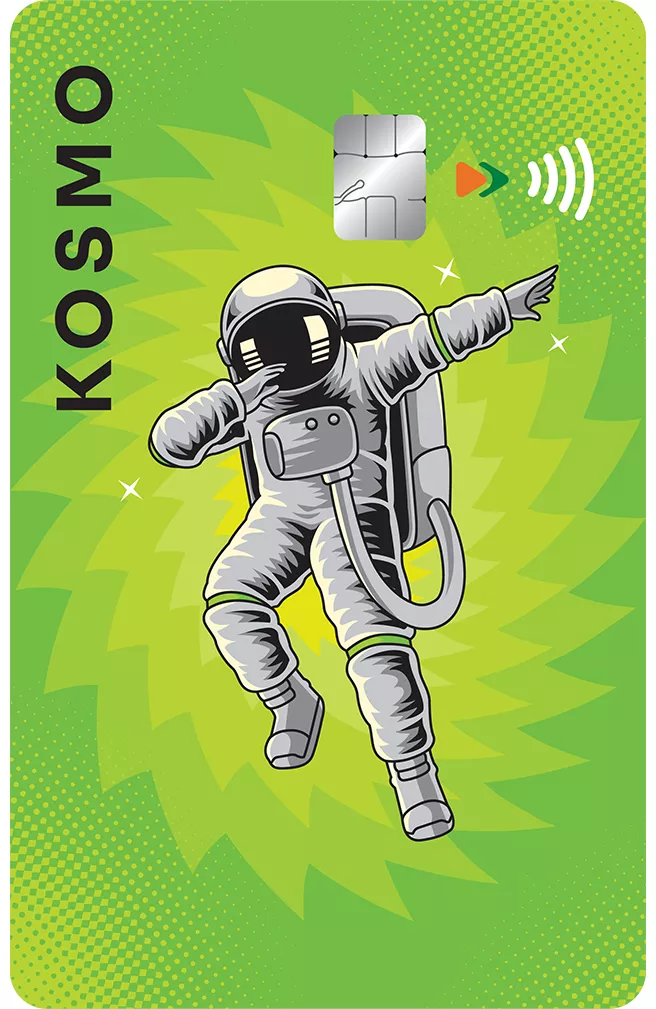


Rewards Follow Wherever You Go
Collect Kiwi rewards for your credit card spends made through UPI Scan & Pay using Kiwi mobile application, and on Ecom, POS & Contactless transactions.


Lifetime Free
In addition to being amongst the best rewards Credit Card, AU Kosmo Credit Card also comes at zero cost, with no annual fee

Fuel Surcharge Waiver
Enjoy 1% Fuel Surcharge Waiver (up to ₹100) for transactions between ₹400 and ₹5,000 at all fuel stations across the country.

Contactless Card Usage
Make quick & secure payments up to ₹5,000 without entering your PIN by tapping your card or mobile phone with digitally added card, against a POS machine.


Xpress EMI
Convert transactions of ₹500 and above with a minimum total value of ₹2,000 into EMI.

Add-on Cards
Offer your Kosmo Credit Card benefits to your loved ones, through our Add on card offering.
Things to know
Fees and Charges
The AU Kosmo Credit Card is a lifetime free card
Eligibility Criteria
Primary cardholder age group
- Self Employed: 25 years to 65 years
Salaried: 21 years to 60 years
Add-on cardholder
- Should be over 18 years
Resident Indian
These criteria are only indicative. AU Small Finance Bank reserves the right to approve or decline applications for Credit Card.

Quick links


Why AU
-

National presence
Bank with us through a network of 2,900+ touchpoints .
-
Get a bit more
Enjoy quality services at competitive rates.
-
Visit branches without the wait
Our ample touchpoints ensure all our customers are conveniently served.
-
Superfast app
Manage and track all your transactions on the AU 0101 App.
-
Sustained growth
Expanding by every quarter, with a balance sheet of over ₹1 lakh crore.


Bank anywhere anytime, on the AU 0101 mobile app
-
![View balance and transactions]() View balance and transactions
View balance and transactions
-
![Download account statement]() Download account statement
Download account statement
-
![Request cheque book]() Request cheque book
Request cheque book


 40+ lakh customers banking on app
Not sure which product is right for you?
-
![]() Personal assistance
Personal assistance
-
![]() No spam
No spam


Customer support
24x7 help
Frequently Asked Questions (FAQs)
How can I apply for the AU KOSMO Credit Card?
You can apply for the highest rewards Credit Card, the AU KOSMO Credit Card, by applying through the Kiwi App. To download it, click here.
Will I receive a physical Credit Card by applying for the AU KOSMO Credit Card?
Yes, you will receive a physical AU KOSMO Credit Card at your registered address with the Bank. You can also access the digital card through digital channels such as AU 0101 mobile app, Chatbot, IVR, website, and the Kiwi App.
Will I have to pay any joining or renewal fee for availing the AU KOSMO Credit Card?
The AU KOSMO Credit Card is the best rewards Credit Card with no annual fee. Therefore, you will not be charged any joining or renewal fee.
How can I make UPI Payments through AU KOSMO Credit Card?
Your AU KOSMO Credit Card will be linked to the Kiwi App once you click on the “Link Your Credit Card” option. Alternatively, you can also link your AU KOSMO Credit Card to other UPI apps by following the steps below:
- Download a UPI third-party application (e.g., BHIM, AU 0101) from the Play Store or App Store
Verify your mobile number on the UPI application and complete registration
After successful registration, select the option “Add Credit Card / Link Credit Card”
Select the Credit Card issuer Bank (AU Small Finance Bank)
Select your AU Small Finance Bank Credit Card to be linked
Confirm the details displayed on the screen
Proceed to generate a UPI PIN (if not already done)
When will my rewards be posted, and how will I be able to view them?
Rewards earned on eligible spends during a statement cycle will be credited to your Kiwi
account on the date of your Credit Card statement generation. They will be visible through the Kiwi App.
Where can I check my Reward Balance?
Your reward balance will be available on the Kiwi App.
Where can I view Product Offers for the AU KOSMO Credit Card?
You can visit offers.aubank.in to claim your eligible offers.
Will I be able to register my AU KOSMO Credit Card on UPI if my mobile number on UPI application is not linked with AU KOSMO Credit Card?
To register your AU KOSMO Credit Card on a UPI application, your mobile number must be the same on both the Credit Card and the UPI app
Can I convert transactions done on the AU KOSMO Credit Card to EMI?
Yes, you can convert eligible AU KOSMO Credit Card transactions to EMI if they meet the Bank’s eligibility criteria.
Can I authenticate UPI transactions using my Credit Card PIN?
No. You must create a separate UPI PIN for your Credit Card to use for UPI transactions. This can be created when linking your RuPay Credit Card to any UPI app.
How do I manage my transaction limits and card controls?
You can switch transaction types on/off, set transaction limits, and block/unblock your card through the AU 0101 or Kiwi mobile app.
When my AU KOSMO Credit Card gets renewed or replaced, do I need to link it on UPI again?
Yes, you will need to re-link your AU KOSMO Credit Card with UPI apps if the card has been renewed or replaced.


